Learn how to stop a flow, and the benefits of the action Terminate
Sometimes you don’t want to complete your entire flow.
The action Terminate, can be useful while you are building and testing your flow, or if you have a condition that is not fulfilled.
The terminate action can end your flow with 3 different options
- Succeeded
- Cancelled
- Failed
If a flow has failed, and you have added error handling to your flow, it will end as “succeeded”.
If you add an terminate action with the selected option Failed, it is properly listed with your other running flows, as failed.
I also use terminate while I am building or testing a flow. Don’t want to send out that e-mail in your flow? Is your flow very long and complex, and you only want to test a part of it? Insert a temporary terminate while testing.
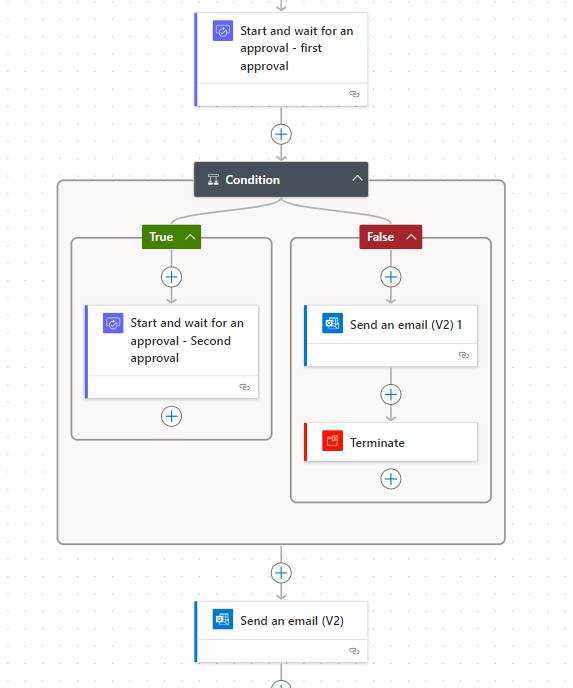
In my example flow below, I am using the terminate action to terminate the flow, if the user rejects an approval.
An e-mail is being send, and the flow is then terminated as succeeded.