What to do when you get this error when copying from one flow to another (modern designer)
The issue
I had an issue where I wanted to copy and paste an entire scope from one flow to another.
The classic designer had issues, since it did not copy my scope completly.
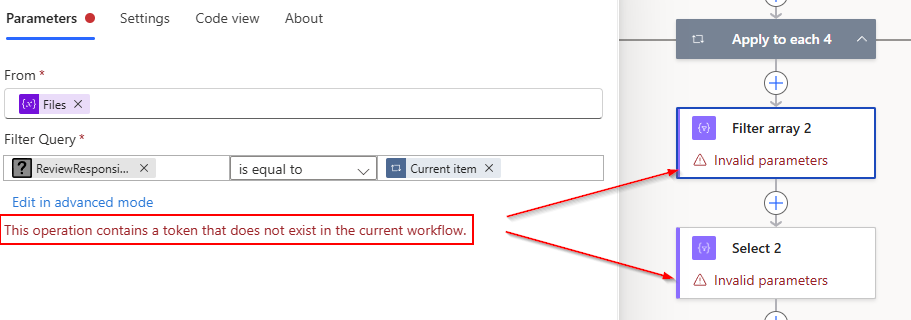
The modern designer copied all my actions correctly, but I was left with this error.
Invalid parameters This operation contains a token that does not exist in the current workflow.
The fix
The fix is easy, but I only found it by “accident”.
You need to select (one at a time) the actions with errors, and then click on the “back” button (in the modern designer), and Power Automate realise that nothing is really wrong
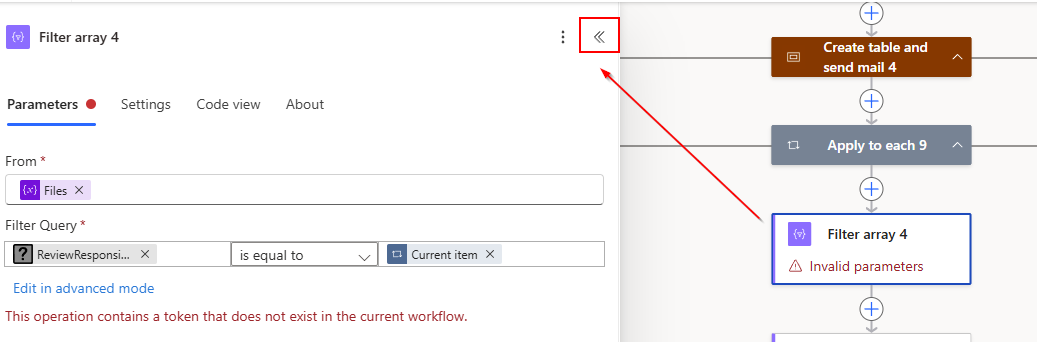
Here is my action after I clicked the back arrow
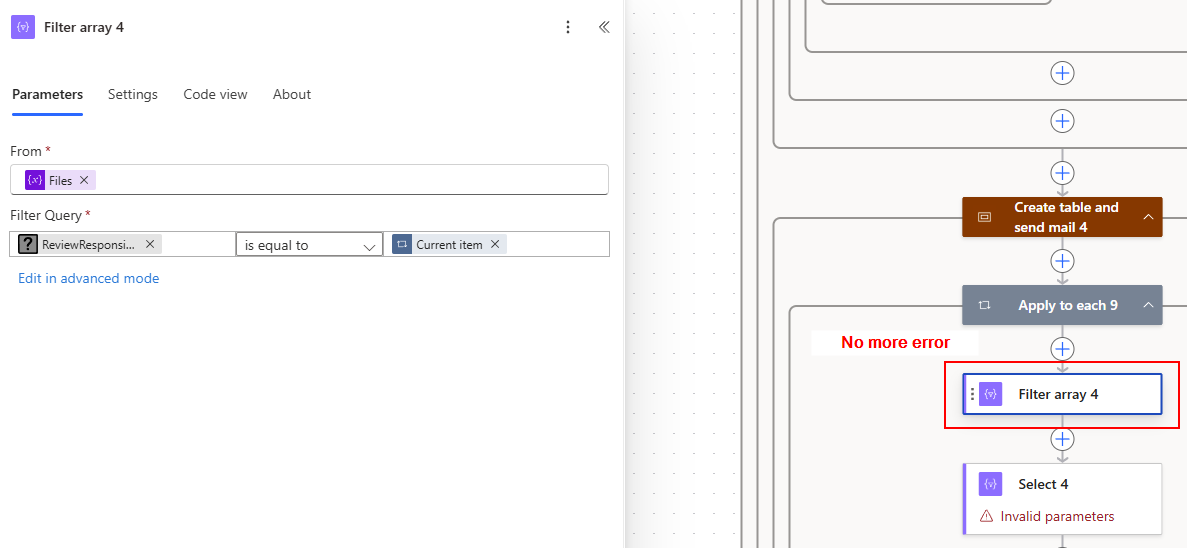
I hope you found this blog post fast, and did not spend 2 hours like me to trying to resolve this error
See also
- Get all Power Automate flows in an environment in a spreadsheet
- Filter and search the termstore in SharePoint with Power Automate
- Collect data from multiple SharePoint sites in Power Apps
- Send SharePoint list item attachments by mail using Power Automate
- Copy a file from one library to another with full version history in SharePoint using Power Automate