Learn how to filter and search the termstore in SharePoint with Power Automate
The challenge
We want to search for a specific term in the termstore, because we want to add the term to a file/item.
We only have the name of the term, but we need to find the ID of the term as well.
I used this trick to update a specific termstore column if the user created ex. a document set insite a specific folder.
Solution
We can use an HTTP action to get the value of the terms. First let’s filter the termstore using just the browser.
We can filter the termstore by using the unique ID’s and use the terms
- Groups
- Sets
- Children

Step 1
To get to the sets we have available we will copy the ID of the group MyTermStore and filter down to the sets
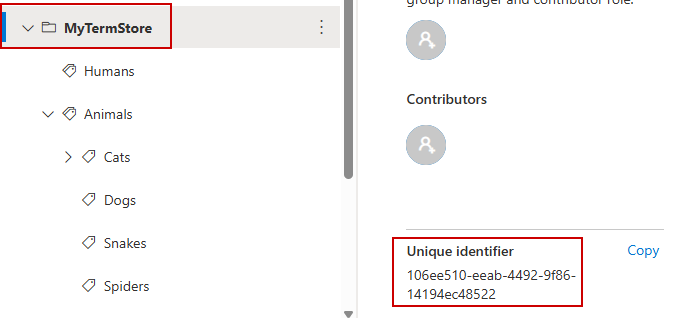
In your browser you can add
yourtenant.sharepoint.com/_api/v2.1/termStore/groups/106ee510-eeab-4492-9f86-14194ec48522/sets
This will return the sets available
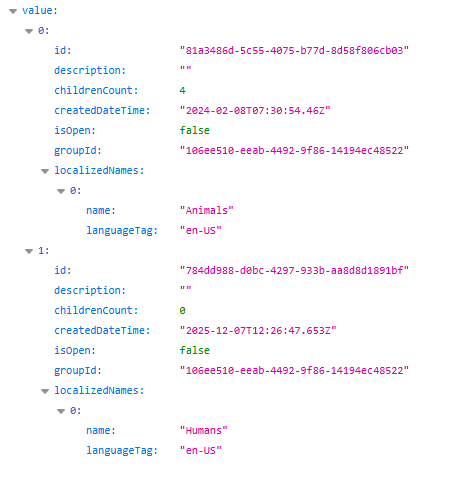
Step 2
Now let’s get the children of the set Animals
yourtenant.sharepoint.com/_api/v2.1/termStore/groups/106ee510-eeab-4492-9f86-14194ec48522/sets/81a3486d-5c55-4075-b77d-8d58f806cb03/children
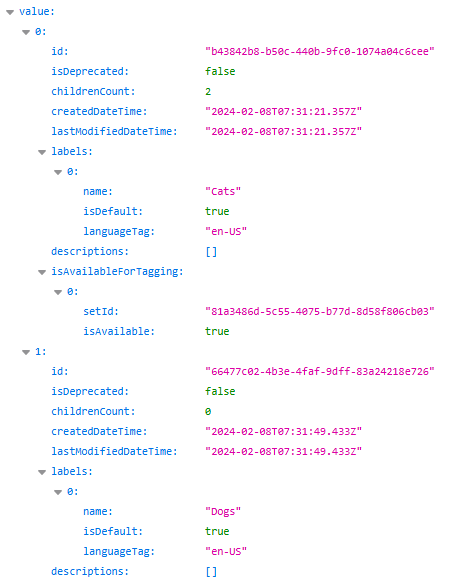
Step 3
Finally we will search for Snakes
yourtenant.sharepoint.com/_api/v2.1/termStore/groups/106ee510-eeab-4492-9f86-14194ec48522/sets/81a3486d-5c55-4075-b77d-8d58f806cb03/children?$filter=labels/any(a: a/name eq 'Snakes')
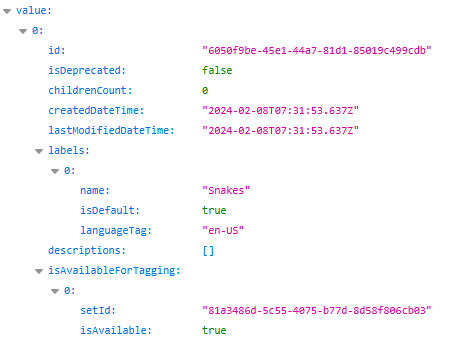
Power Automate
We will create a simple flow that will search the termstore with the title that we add to the item.
Create a new list and add a single managed metadata column.
In Power Automate add an Send an HTTP request to SharePoint action and insert the Uri you just build. We will search for the title of the item that has just been created.
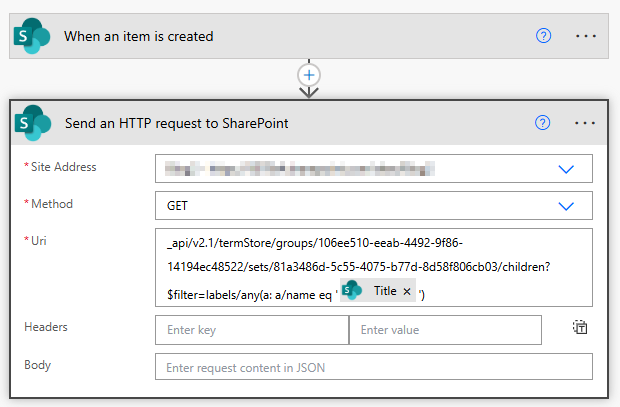
_api/v2.1/termStore/groups/106ee510-eeab-4492-9f86-14194ec48522/sets/81a3486d-5c55-4075-b77d-8d58f806cb03/children?$filter=labels/any(a: a/name eq '@{triggerBody()?['Title']}')
If we run our flow, we will see that we now get Snakes as our output
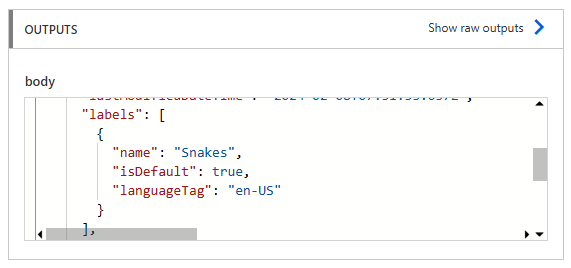
To update our list item, SharePoint expects the value like this
- TermstoreName|TermstoreId
Since our HTTP action returns an array we will take the first element of our output (to avoid a loop in our flow)
In the termstore value column insert an expression (Name)
outputs('Send_an_HTTP_request_to_SharePoint')['body/value'][0]?['label']?[0]?['name']
And then add a | character and insert the next expression (Id)
outputs('Send_an_HTTP_request_to_SharePoint')['body/value'][0]['id']
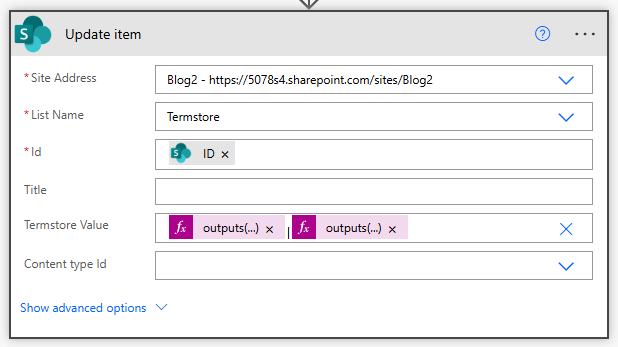
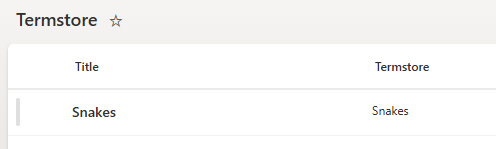
Run your flow again and we have now successfully updated the managed metadata field with the termstore value
There are other ways to work with the termstore, see my previous post:
Filter Term Store with PowerAutomate